Senin, 01 Februari 2010

Mengenal Type Pencarian Search Engine

0 comments

Satu-satunya alat atau fasilitas yang dipergunakan untuk mengeksplorasi berbagai data, informasi, dan pengetahuan yang ada di Internet adalah mesin pencari atau yang biasa kita sebut search engine. Search engine adalah sebuah program yang dapat diakses melalui Internet yang fungsinya adalah membantu pengguna komputer mencari berbagai hal yang ingin diketahuinya.

Di Internet, terdapat ratusan (bahkan ribuan) search engine yang dapat diakses secara cuma-cuma. Karena fungsinya mirip pintu gerbang bagi para pengguna sebelum memasuki situs atau website tertentu, banyak orang yang menyebut search engine sebagai portal (bandingkan dengan fungsi portal sesungguhnya yang kerap kita temui di pintu masuk ke sebuah kompleks perumahan). Dari begitu banyak search engine yang ada, yang paling populer diantaranya adalah Google, Yahoo, dan Altavista. Penulis menganjurkan agar para pemula mempergunakan Google untuk latihan melakukan teknik searching di Internet. Ketiga mesin pencari ini dapat diakses melalui alamat www.google.com, www.yahoo.com, dan www.altavista.com dengan aplikasi browsing seperti Internet Explorer atau Netscape.

Walaupun memiliki fungsi yang kurang lebih sama, setiap search engine memiliki karakteristik berbeda. Hal-hal yang membedakan satu search engine dengan search engine lainnya diantaranya adalah kecepatan pencarian, ketepatan informasi, kuantitas situs yang dicari, teknik pencarian, format hasil pencarian, dan lain sebagainya. Untuk memudahkan pembelajaran dan alasan praktis, maka kita memilih Google sebagai contoh. Akan tetapi, di beberapa kasus kita juga akan mempergunakan mesin pencari lain, terutama saat membahas fasilitas-fasilitas pencarian yang tidak tersedia di Google.

Teknik Penyaringan Informasi

Karena begitu banyaknya informasi yang tersedia di Internet, maka kerap terjadi fenomena yang sering disebut information overloaded (banjir informasi yang tak terkendali). Tengoklah misalnya seseorang yang ingin mencari informasi dengan kata kunci school atau sekolah. Ia akan kebingungan karena pencariannya akan menghasilkan ratusan ribu bahkan jutaan situs yang berkaitan dengan kata tersebut. Karena itu, harus ada teknik-teknis khusus yang harus dikuasai agar seorang pengguna internet dapat memperoleh informasi yang benar-benar relevan dengan kebutuhannya. Ada dua teknik dasar yang bisa kita pergunakan saat melakukan searching, yaitu :
1. Menggunakan Simbol Matematika.
2. Menggunakan Simbol Boolean.

Filterisasi dengan Simbol Matematika

Simbol pertama yang sangat berguna untuk pencarian dengan search engine adalah tanda plus (+). Seorang netter dapat menggunakan tanda plus jika ingin mencari dokumen yang memuat lebih dari satu kata kunci. Contohnya, jika seorang pengajar atau peserta didik ingin
mengetahui informasi mengenai populasi guru di propinsi Lampung, maka yang bersangkutan dapat mencarinya dengan menggunakan kata kunci:

+populasi +guru +Lampung

Saat menerima masukkan dengan format semacam itu, mesin pencari akan mencari berbagai dokumen maupun artikel yang memuat kata populasi, guru, dan Lampung
di seluruh jaringan internet. Jika terdapat sebuah dokumen yang hanya mengandung salah satu atau salah dua dari ketiga kata tersebut, maka dokumen itu tidak
akan ditampilkan. Contoh lain yang menarik adalah seorang seniman yang ingin mencari informasi terkait dengan kejadiankejadian kesenian di Jakarta pada tahun 1970. Dengan
memanfaatkan tanda “+” tersebut, ia dapat memasukkan searching key dengan format seperti berikut:

+jakarta +kesenian +program +1970

Cara ini tentu saja jauh lebih efektif ketimbang hanya menggunakan searching Lampung, Jakarta, kesenian atau populasi saja, yang hasilnya akan berupa jutaan link ke situs yang mengandung kata-kata tersebut.
Simbol “+” ini dapat dipergunakan sebanyak-banyaknya, karena prinsip yang kerap dipergunakan dalam searching di Internet adalah bahwa semakin spesifik yang dicari (semakin banyak menggunakan tanda “+”) berarti semakin baik pula suatu pencarian. Dengan searching key yang semakin spesifik, hasil yang ditampilkan search engine akan lebih terfokus.

Filterisasi dengan Simbol Boolean

Simbol-simbol boolean banyak dipergunakan oleh mereka yang memiliki latar belakang ilmu komputer atau yang terbiasa mengakses sistem basis data (database) konvensional. Secara garis besar, beberapa simbol boolean yang penting, yang oleh beberapa kalangan dinilai sudah terlalu kuno dan ketinggalan jaman, sebenarnya sudah terwakili dengan simbol-simbol matematika seperti yang telah dijelaskan sebelumnya. Kelebihan dari simbol boolean adalah simbol ini dapat merepresentasikan jenis pencarian yang tergolong kompleks karena memiliki simbol-simbol tambahan. Berikut adalah beberapa simbol penting yang kerap dipergunakan oleh para netter untuk membantu proses pencarian. Simbol pertama adalah kata OR (mengandung pengertian “atau” dalam bahasa Indonesia). Simbol ini bekerja dengan cara yang sama dengan karakter spasi pada simbol matematika. Jika seseorang melakukan pencarian dengan searching key kepulauan OR nusantara maka search engine akan mencari seluruh dokumen yang mengandung kata kepulauan, atau nusantara, atau yang mengandung kedua kata tersebut. Di dalam satu event pencarian, kata OR dapat dipergunakan beberapa kali, misalnya:

raja OR presiden OR pemimpin OR dinasti

yang akan menampilkan daftar dokumen yang memiliki satu atau lebih kata raja, presiden, pemimpin, atau dinasti (termasuk kombinasi antara 2-4 kata-kata tersebut). Simbol berikutnya yang memiliki fungsi kurang lebih sama dengan tanda plus pada simbol matematika adalah AND, yang dapat diterjemahkan sebagai kata “dan” dalam bahasa Indonesia. Contoh penggunaan simbol ini adalah sebagai berikut:

ilmu AND pengetahuan AND alam

Search engine yang menerima masukan seperti itu akan mencari seluruh dokumen di internet yang memuat tiga buah kata, yaitu ilmu, pengetahuan, dan alam di
dalamnya. Jika di dalam model simbol matematika terdapat tanda minus (untuk merepresentasikan kecuali), maka dalam model simbol boolean terdapat kata NOT untuk
merepresentasikan hal yang serupa. Sebuah perintah dalam metode simbol boolean yang tidak diketemukan padanannya dalam simbol matematika adalah NEAR. Fungsi perintah ini cukup unik. Untuk mendapatkan gambaran mengenai fungsi simbol ini, perhatikan contoh berikut.

sekolah NEAR yogyakarta

Perintah di atas akan menginstruksikan search engine untuk mencari dokumen yang mengandung kata sekolah dan yogyakarta, dimana jarak (jumlah kata di antara kedua kata tersebut) berdekatan. Dengan kata lain, search engine akan mencari dokumen yang memuat kalimat seperti sebuah sekolah di Yogyakarta berhasil mendapatkan dana bantuan dari PBB atau seorang siswa di Yogyakarta ditemukan sedang adu balap..”
atau “sekolah menengah kejuruan di yogyakarta…
karena jarak kata sekolah dan Yogyakarta pada kalimat-kalimat tersebut relatif berdekatan. Kriteria berdekatan untuk masing-masing search engine biasanya berbeda.

dikutip dari beritanet.com (Richardus Eko Indrajit)

Continue reading →
Minggu, 31 Januari 2010

Rahasia di balik facebook

3 comments
seperti yang kita tahu kalau facebook adalah situs jejaring sosial yang sangat populer saat ini. kita semua tahu tentang fb dan hampir setiap hari pastinya kalian semua mengakses situs ini. tapi apakah kita tahu kalau di balik situs yang kita gemari ini menyimpan banyak misteri??
layaknya sebuah game yang memiliki banyak cheat-cheat tersembunyi, ternyata facebook juga mempunyai banyak rahasia. rahasia-rahasia di balik facebook ini sebenarnya bukan hal baru, tapi mungkin banyak diantara kita yang tidak tahu, maka saya mencoba memberitahu beberapa rahasia-rahasia tersembunyi di balik facebook khusus untuk para netizen kurang kerjaan yang sudah mau berbaik hati berkunjung di blog gak jelas ini^^ .

Inilah 5 rahasia facebook yang saya ketahui dari banyak rahasia lain yang belum terungkap.. (rahasia lainnya mungkin bisa kalian cari sendiri.. :D)

1. Konami Code
Pertama klik background terus pencet atas atas bawah bawah kiri kanan kiri kanan b a enter klik

2. Quote rahasia
Buka Friend list punya orang lain (bukan Friendlist punya sendiri) terus pilih View All dan pilih Everyone terus Highlight di paling bawah daftar temennya ada quote rahasia kecil. Kalo ga keliatan coba pencet Ctrl+a

3. Bahasa bajak laut
Scroll sampai paling bawah Page terus klik English(US) (ato Bahasa Indonesia kalo pake Bahasa Indonesia), nanti ada pilihan English (Pirate) yang kocak dipakenya

4. Siapa itu Putnam?
Kalo lagi chatting, kita masukin : putnam : (tanpa spasi) bakal keluar emote dengan gambar muka orang ga jelas. Itu adalah Chris Putnam, ahli software facebook..

5. Little Celtics Fan
Cara untuk liatnya: buka gambar di facebook, klik kanan mouse terus pilih View Image. Delete URL-nya ampe slash.


Continue reading →
Sabtu, 30 Januari 2010

Obtain detailed information about visitors with Google Analytics

0 comments
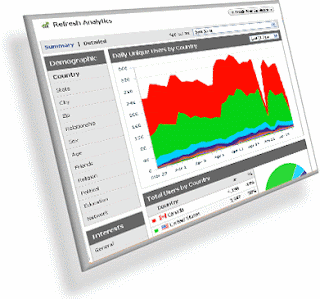
What is Google Analytics?! Google Analytics is the application that tells you how visitors find and interact with your website. You can compare the behavior and profitability of visitors referred from each of your ads, keywords, search engines, and emails, and gain valuable insight into how to improve the content and design of your site. Whatever the size of the site and how you drive traffic to it - unpaid search, partner sites, AdWords, or other cost-per-click programs

- Google Analytics tracks it, from click to conversion.


Benefits of Google Analytics
  1. Obtain detailed information about visitors
  2. The number of visitors per month, per day,and certain hours.
  3. The number of visitors from each country or city
  4. Knowing to obtain statistics the number of visitors to each page there. Statistics page is visited or called landing page. This is important information for knowing how crowdedthe content of our website

For a webmaster, very supportive of this application. To register your website, please go to the Google Analytics Site. Or directly click here. Previously, you must have a Google account first.

  1. login using your Google ID.
  2. select “Sign Up”.
  3. Complete the form, the URL field insert Websites with your web address (using www.domainanda.com), Give a name to the Account Name, Time Zone Country or Territory and Time Zone. Then click "Continue".
  4. Complete Last Name, First Name and Country OrTerritory, and then click "Continue".
  5. Please read the Terms of Service, and then check settings on the "Yes, I agree to the above terms and conditions". then click "Create New Account".
  6. After that will appear tracking code, copythe html script and paste it on your web page, and click "Save and Finish"
not yet active status, usually takes overnight for the introduction of the Internet. Once identified, you can immediately click on "View Report".


Continue reading →
Jumat, 29 Januari 2010

Apa sih CMS ?

0 comments
Mungkin banyak diantara kita, khususnya kita-kita yang tidak terlalu mengerti dengan dunia web, yang tidak tahu tentang apa itu yang dimaksud dengan CMS. hanya kita yang merasa masuk orang computer, jurusan teknik informatika atau ahli dalam web programming yang sudah sangat mengenal dengan arti kata CMS. Postingan kali ini saya akan menjelaskan untuk kamu-kamu yang belum mengertiu arti dari CMS atau Content Management System . CMS (Content Management System) Sebuah sistem yang memberikan kemudahan kepada para penggunanya dalam mengelola dan mengadakan perubahan isi sebuah website dinamis tanpa sebelumnya dibekali pengetahuan tentang hal-hal yang bersifat teknis. Dengan demikian, setiap orang, penulis maupun editor, setiap saat dapat menggunakannya secara leluasa untuk membuat,menghapus atau bahkan memperbaharui isi website tanpa campur tangan langsung dari pihak webmaster. Intinya dengan CMS kita hanya tinggal merakit untuk membuat sebuah website dengan plugin-plugin yang telah disediakan (kita cari di internet) sedangkan tanpa CMS kita harus membuat script-scriptnya dari nol sampe terbentuklah sebuah website yang rumit.

macam-macam cms


Pemanfaatan CMS
CMS pada prinsipnya dapat dipergunakan untuk berbagai macam keperluan dan dalam berbagai kondisi, seperti untuk:

1. Mengelola website pribadi.
2. Mengelola website perusahaan/bisnis.
3. Portal atau website komunitas.
4. Galeri foto, dan lain sebagainya.
5. Forum.
6. Aplikasi E-Commerce.
7. Dan lain-lain

Banyak penyedia CMS sekarang ini, baik itu gratis maupun berbayar. Berikut beberapa situs yang menyediakan CMS dan bisa langsung di download.
• drupal-id.com
• wordpress.com
• mambo-id.com
• joomla-id.com
• cmsindonesia.com
Continue reading →
Senin, 25 Januari 2010

Early 2010 WordCamps

0 comments
Rested up from the holidays? I hope so, because the new year has begun and a lot is going to be happening with WordPress in 2010, and you definitely want to be a part of it. Later this week the scope for version 3.0 (featuring the addition of MU functionality to the WordPress codebase) will be decided in the IRC developer chat*, based on feedback provided by users like you. But it’s no fun to live by IRC alone, which is why we love WordCamps. Attending a WordCamp gives you a chance to meet people in your local community who are working with WordPress, as well as core contributors, theme designers, plugin developers, Codex writers, support forum moderators and other WordPress volunteers who’ve made WordPress what it is today. Add this New Year’s Resolution to your 2010 list if it’s not on there already: Attend a WordCamp, meet at least 5 new local people, learn something new, and if you have the chance, buy a drink for someone who’s volunteered their time and expertise to the WordPress open source project. To help you keep your resolution, here is a list of the upcoming WordCamps for the next three months, followed by what I know so far about each one.

January 8–9: WordCamp Atlanta
January 23: WordCamp Boston
January 30: WordCamp Greece in Thessaloniki
January 30: WordCamp Indonesia in Jakarta
February 27: WordCamp Fukuoka
March 6–7: WordCamp Ireland in Kilkenny
March 27–28: WordCamp Toronto

NORTH AMERICA

January 8–9: WordCamp Atlanta. First WordCamp of the year, and it’s already sold out — twice! They changed to a bigger venue based on demand, from Georgia Tech to the Atlanta campus of Savannah College of Art and Design (SCAD). They’re still letting people onto the waitlist, if you’re interested. A guaranteed way to get in would be to sponsor the event, and they’re taking last-minute sponsors right now. Atlanta will have sessions on Friday evening and all day Saturday. I’ll be opening the Saturday program with WordPress Resolutions: What to Expect in 2010. After a day of design, development and content track sessions, Lead Developer Mark Jaquith will take the closing slot for a Town Hall-style Q&A. The attendee list (follow link, scroll down) includes a number of WordPress core contributors, theme/plugin developers, and support providers as well as proof that Atlanta has a strong WordPress user base.

January 23: WordCamp Boston. I think WordCamp Boston is trying to one-up every WordCamp the organizers have been to, including the awesome NYC from November, and it looks like they might succeed. From Doc Searls and David Weinberger as keynote speakers to the multiple-track, unconference and Ignite sessions to the sweet-looking venue and the party plans, this one has got it going on. I credit it in part to the fact that they are one of the few WordCamps to follow the advice of having an organizing team of more than just 2 or 3 people, so the work is better distributed. I see a number of familiar names on the attendee list, but even more that I don’t know, so I’m looking forward to meeting the Boston WordPress community. They’re still selling tickets, so if you’re in the northeast, you should try to make it. I’ll be at this one also, talking about how the merge with MU will affect the WordPress admin (by then we should have started figuring it out!).

March 27–28: WordCamp Toronto. The last two Toronto WordCamps have been really good. I heard there would be one in March, but their site right now is just taking emails for notification. I’ve contacted the organizer to see what’s up, and he says the site will likely go live this week. They’re looking for volunteers to help organize this year’s event, so if you’re interested, it would be a great opportunity to get involved. Believe me, volunteering at a WordCamp is one of the best ways to make sure you meet a lot of other attendees.

ASIA

January 30: WordCamp Indonesia. WordCamp Indonesia will be in Jakarta again this year. I love how they worded the beginning of their sessions page. “Come in, we’ll get you breakfast and coffee, you’ll register, there’ll be networking. It’ll be great.” There will be a single track of sessions, but there are several time slots set aside for ad-hoc discussion and breakout sessions.

February 27: WordCamp Fukuoka. WordCamp Fukuoka is just getting its site up, too, so check back periodically a little later for more information. One of their visiting speakers will be Noel Jackson, developer of the Press This bookmarklet as well as themes like P2 and Monotone/Duotone.

EUROPE

January 30: WordCamp Greece. WordCamp Greece will be held in Thessaloniki, and they expect about 100-150 people to attend.The program includes regular sessions on the usual topics (how-to, programming, SEO, multi-language sites, etc) as well as “QuickRounds,” which will showcase Greek projects based on WordPress. I’m especially intrigued by the “WordPress vs. Expression Engine” session. Whenever people compare different publishing platforms, it’s interesting to see which features they highlight. I hope someone gets video from this one and posts it to the WordCamp section of WordPress.tv.

March 6–7: WordCamp Ireland. WordCamp Ireland will be in Kilkenny, and for such a geographically small country, it’s got an impressive list of speakers, including Donncha O Caoimh, lead developer of WordPress MU. The program includes three tracks: Intro, Blogger, and Developer, and I think this will be the first WordCamp I’ve heard of that is deliberately family-friendly, with on-site child care. They’re also going to have a charging station for mobile devices, which is clever. It’s not confirmed yet, but I think I’ll be at this one, too.

If you want to attend a WordCamp but don’t know of one near you, check out WordCamp.org for the official list (updated frequently). That’s also where you would start if you wanted to organize a WordCamp in your area.

wordpress facebook

Continue reading →

Surfing anonym

0 comments
The Internet is full of potential risks to your privacy and security. Every time you surf the web you leave traces of your Internet activity. Which can reveal real-life identity and expose you to hackers, identity thieves and spammers so they can monitor your browsing habits and activities, spy on you, steal personal information and exploit security holes in your system to cause damage to your computer.
IP address (Internet Protocol) is your internet identification number. Everyone has an IP address to communicate on the Internet. Your IP address your computer is comparable to the home addresses or Social Security number. If someone get your IP address, they can use the information to identify countries, cities, and even Internet service provider's physical address. Your IP address left in the log of all on the Internet: the log on your ISP, the router to your request and ultimately purpose of your request. Anonymous surfing can help access the web site can be restricted to users from certain countries or geographical regions.


Internet History

Do you know ...
... Your computer tracks everything you do when using computers or surfing the Internet
... Your online and offline activities are not private as surfing tracks, cache, downloaded files and some identifying data is stored on your computer.
... Some trace the computer and Internet activity can not be removed manually without special software tracks eraser.
If you do not protect your information, your surfing habits and personal information can be tracked and stolen. You can interfere with your privacy and even become victims of identify theft.
Privacy eraser software will keep your personal information by deleting information that is collected on your computer when surfing the web: the history of websites you have visited, images and movies you see, the file you downloaded, documents and files you have just opened, cookies that web sites store on your computer, email, password and user ID you use to access various accounts over the web, your credit card numbers and other confidential information.
Shredder option helps you completely delete history tracks and previously deleted files without recovery
Continue reading →

The most important wordpress plugin

1 comments
Below are some wordpress plugins that mandatory use of bloggers on wordpress ...

OneClick Install
This plugin replaces the FTP client function which we used to use to upload or remove plugins or themes. But there are advantages of this plugin that can be uploaded in the form of zip, so do not upload the file (similar to WebFTP). In addition, OneClick Installer can remove plugins or themes that we wanted to remove it the following directory. Well, so this plugin is perfect for those who are happy to unload plugins or themes pairs

Advanced-Admin-Menus
Sometimes WordPress admin menu to make us tired of waiting. This plugin makes WordPress admin menu to pull down so that access to any submenu becomes much shorter and faster.


WP-Super Cache
Well, this is one plugin that can be said the most important of the other plugins. This plugin blog increase performance significantly.

Spam Karma 2
One of the threats of the fame of your blog is the amount of spam attack could be enormous. Actually Wordpress Akismet plugin is provided to overcome this. Unfortunately based on experience, this plugin procedures often make the mistake of catching spam: (Thank goodness there's Spam Karma 2 plugin is a very good job. Since used on this blog about 2.5 years ago, this plugin error melakuka arrest procedures in the amount of spam that can counted on the fingers:) So feel free to deaktif the Akismet and install and activate the Spam Karma 2.

WP-DBManager
The speed of a blog is not only determined by the optimization of its script, or hosting, but also by the database as a container where the contents of blogs are stored. WP-DBManager, but can be used to perform database backups, also has features to make database optimization very easy. Do this optimization to the database periodically to work optimally.

Headspace2
This plugin is not really necessary unless the blog owner is concerned the fate of the existence of post-posting on search engines.

Challenge
which is actually not necessary anymore if you have been using Spam Karma 2 ... unless ... spam attacks on your own blog is completely outrageous that Spam Karma 2 was reeling as I'm experienced now, Why did I choose this plugin among many similar plugin? The reason is its simplicity in countering spam.
Continue reading →